
One window.
Every project, in motion.
The native macOS terminal workspace built for AI-assisted development. Isolated per-project environments, a 120fps Rust terminal, and first-class Claude Code & Codex support — all in one window.
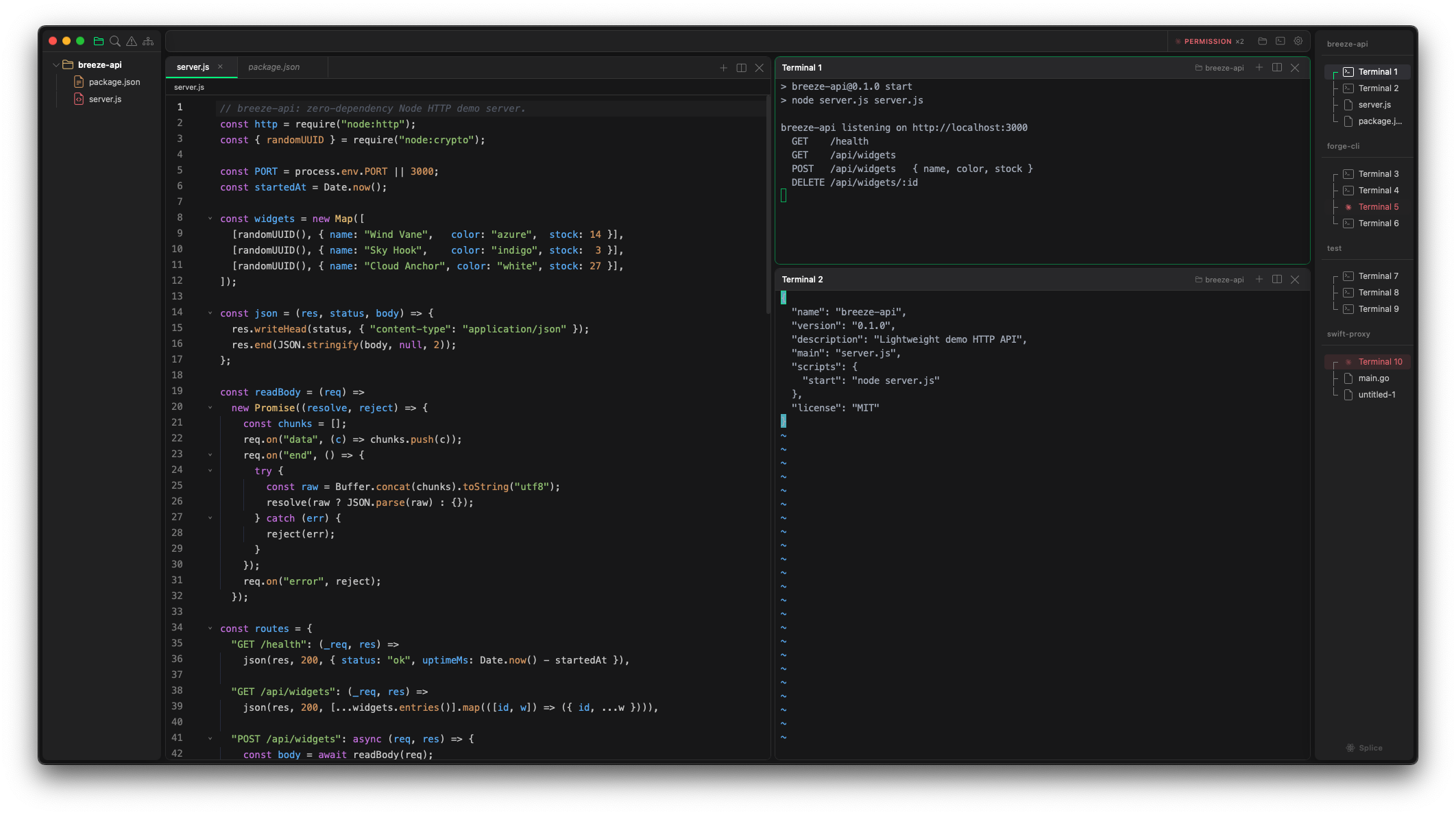
Your work is parallel. Your editor should be too.
Most editors give you one context. You juggle windows, fight for screen space, and lose your train of thought. Splice gives you workspaces — each a fully isolated environment with its own project folder, terminals, open files, and layout.
Frontend in one, backend in another. Client A and client B. A long build running while you write code. Everything in one window — organized, not crammed. Switch in a keystroke; the state you left is exactly where you left it.
Own project folder, file tree, open files, terminals, and layout. Nothing bleeds between workspaces.
Jump between workspaces with a shortcut. Terminals keep running, editors hold state. No reload, no lost context.
Split terminals and editors any way you want. Drag to resize, zoom any pane full screen. Each workspace remembers its arrangement.
Run agents across projects. Know the moment they need you.
Spin up Claude Code across multiple terminals and projects, then stay focused on your own work. When an agent needs a decision or hits a permission prompt, Splice surfaces it — immediately, clearly, without breaking your flow.
Works with Claude Code and OpenAI Codex out of the box. Zero configuration.
Everything you need. Nothing you don't.
H/V splits, drag-resize, pane zoom, full keyboard nav.
Syntax highlighting, minimap, breadcrumbs, tab drag & drop. Image + Markdown preview built in.
Every action one shortcut away — hands never leave the keyboard.
Each workspace opens its own folder. The tree stays in sync as files change on disk. Single-click to preview, double-click to keep.
Relaunch and everything is exactly as you left it — workspaces, layouts, open files, terminal directories. Restored automatically.
Native performance. No compromises.
Built on Tauri — a Rust-powered framework that uses your system's WebView instead of bundling Chromium. The heavy lifting happens in Rust: terminals, file watching, workspace state, agent tracking. Starts fast, runs lean, none of Electron's overhead.
Terminals, file system, workspace state — all Rust. No GC pauses, no leaks, no "it's an Electron app" excuses.
Renders directly to canvas — no DOM per character. Smooth at 120fps even when build output floods the screen.
Fine-grained reactivity — only what needs to update does. No full-page re-renders, no jank switching panes.
A battle-tested, extensible core. Syntax highlighting, LSP-ready, minimal footprint — not an IDE you fight with.
Get Splice.
Free, open source, and native. One window for every project you're working on.
Unsigned build — on first launch, right-click the app and choose Open, or run xattr -cr /Applications/Splice.app.